

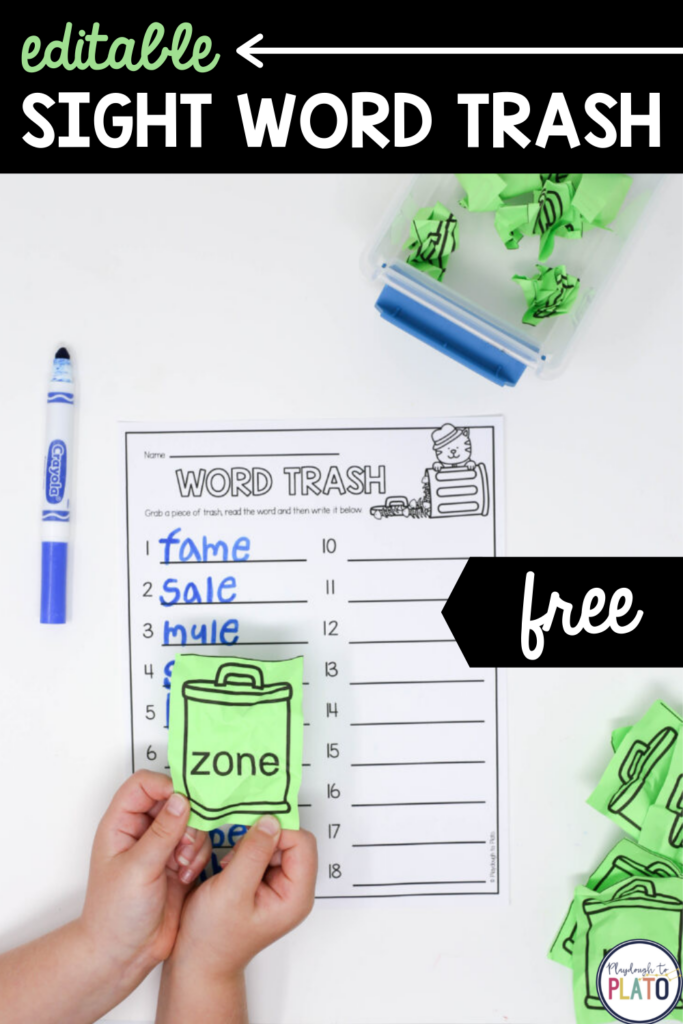
Students will giggle with delight while playing this sight word game!
Editable sight word games are my jam because they make it *so* easy to differentiate. I can print one version of a game for my struggling readers and a completely different version of the same exact game for my highest readers.
From far away, they might look identical, but up close they’re actually practicing entirely different words!
There are just two words to describe it: game changing.
Snag this playful sight word game below, and then join the priority list for our VIP teaching membership, The Science of Reading Formula, so you can unlock access to all of our print-and-go teaching tools in one time-saving spot.
Sight Word Game Prep
To prep this sight word game, type in words that align with whichever phonics skill your students are learning. For instance, if you are teaching the CH digraph in your phonics lessons, have students play the game with words like CHIP, CHAT, and CHUM. Or if you are working on the blend TR, play with words like TREE and TROT.
Hot tip: Are you making multiple versions of the game for differentiated practice? Print each version on different color paper or use a marker to draw a different colored star in the corner of each set. Color coding makes it so simple to figure out who the words belong to!
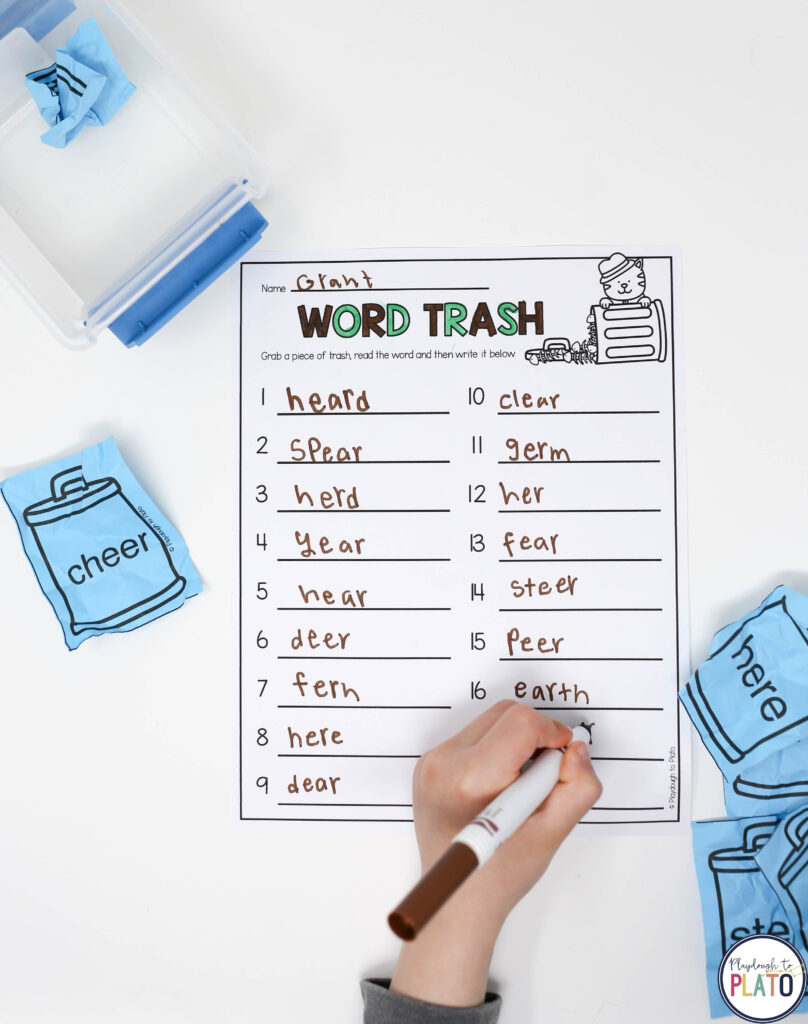
Print off a copy of the record sheet for every student and then have them crumple up each of the sight words to make individual pieces of “trash”. To step up the silly excitement even more, throw the crumpled papers into a plastic bin so it really feels like they are picking through garbage. (Cue the giggles!)
Sight Word Trash Game
This sight word game is extremely simple!
Students grab one piece of trash at a time, un-crumple it, and read the word out loud.
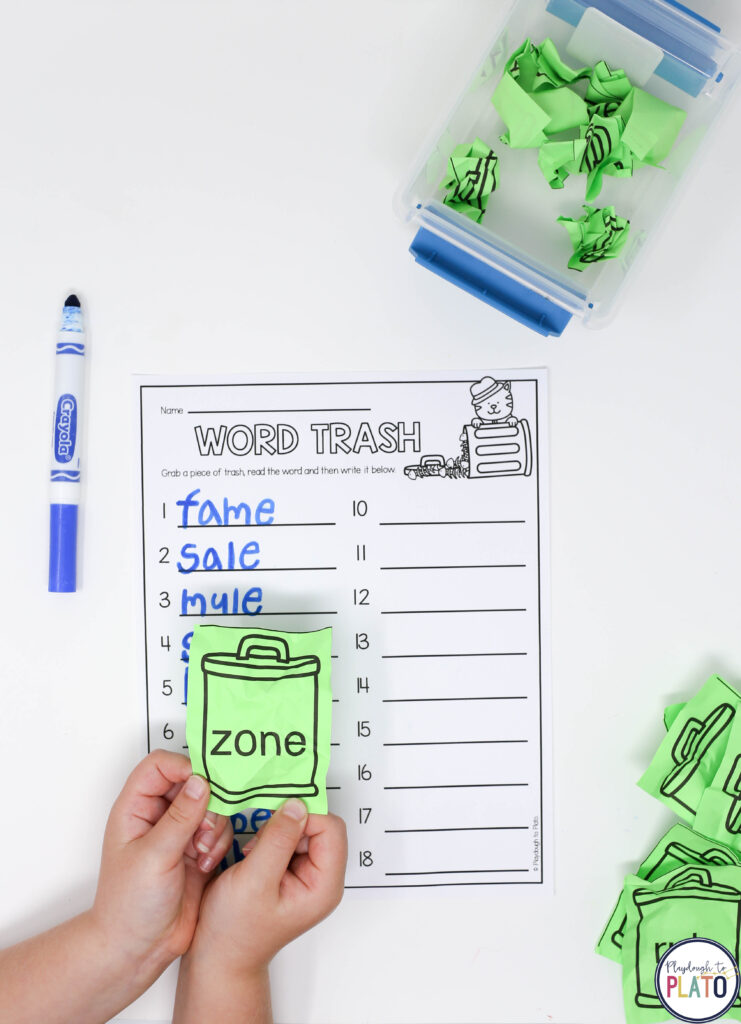
Then, they write the word on their record sheet and grab the next one in their pile.
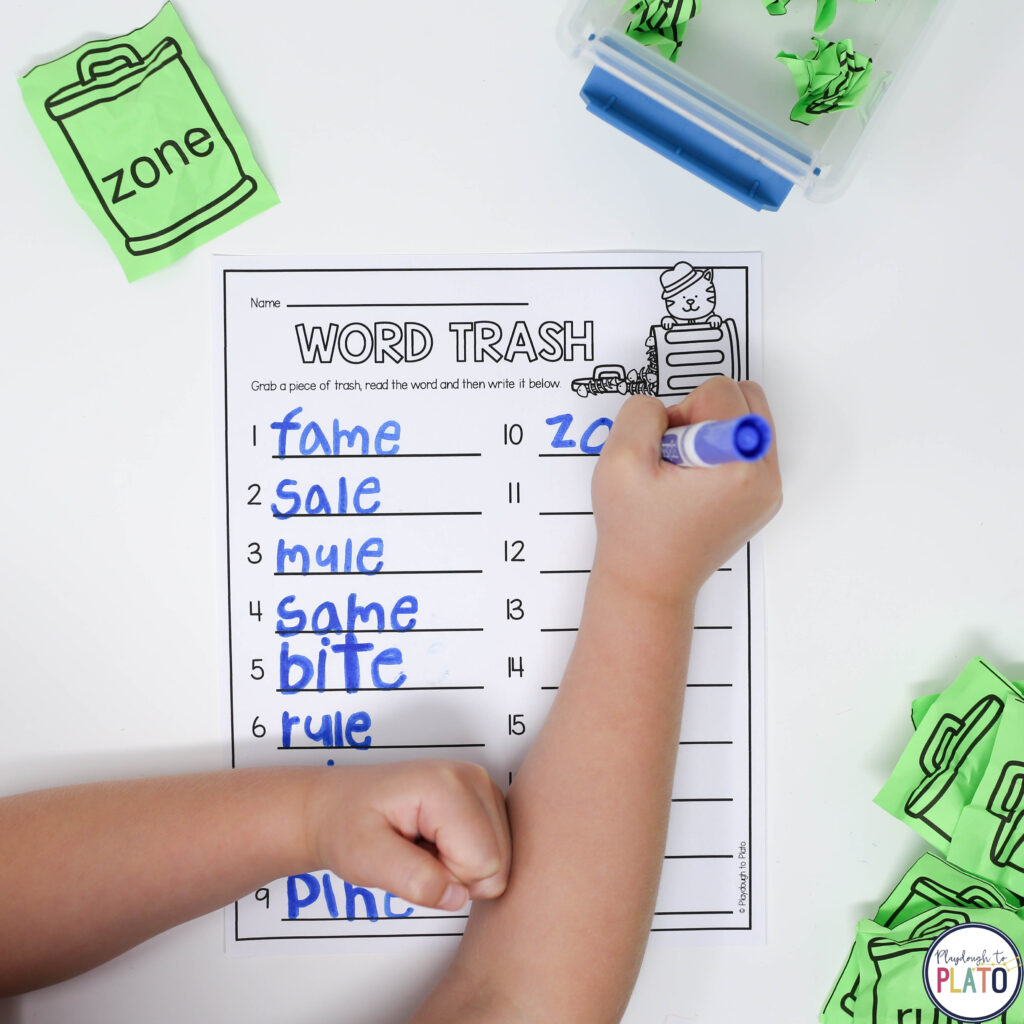
Your students will have *so* much fun working their way through their trash bin!
(It’s not every day that you get to dig in garbage, right?!) The sight word game will be a huge hit!
Grab Your Download
Click the blue button below to grab your freebie and then request an invite to our VIP teaching membership, The Science of Reading Formula, so you can teach reading the easier, brain-friendly way.




This looks like such a fun sight word activity. I am pinning it and tweeting it now:)
Hi, this game sounds fun! I have clicked on the Download Here button numerous times and nothing happens. Can you help?
Hi Cindy,
When you click the blue “Download Here” button, a pop-up should open. You can try checking to make sure your browser isn’t blocking pop-ups from the site or try using a different browser. Let me know if you’re not able to get the game!
Warmly,
Sarah // Playdough to Plato Team
How come the address says this is editable but the dowoad doesn’t appear to be?
Hi Ashley,
When you save the file to your computer and open it with Adobe Reader, you’ll be able to change out any of the words used in the game. You can do this by clicking in any of the gray boxes and typing. I hope this helps!
Warmly,
Sarah // Playdough to Plato Team
I have also tried to download and nothing happens.
Please help!
Hi Amy,
You can try checking to make sure your browser isn’t blocking pop-ups from the site. If you happen to be downloading at school, the district’s web filter could be blocking the pop up too. Let me know if you’re not able to get the game!
Warmly,
Sarah // Playdough to Plato Team
How can I make the words bigger when I edit?
I am not real tech savvy. I have a Mac and I have tried to save this file/document and I can’t. What do I need to do to save it on my computer as an editable document?
Hi Robin,
I’m happy to help you save and edit the file! After the game loads in your web browser, in the menu bar go to file > save as. From here, select where on your computer you’d like to save the file and select “save.” Then locate the file where you saved it on your computer. Right click on the file and select “open with” > “Adobe Acrobat”. If you don’t have this program, you can download it for free here http://get.adobe.com/reader/otherversions/
Once the file is open in Adobe, you’ll head to p.4 of the file to type in the words you’d like to use. You can click in the gray boxes and type your words. The font will automatically resize to fit different length words.
Let me know if you have any trouble!
Warmly,
Sarah // Playdough to Plato Team
I am not able to download. There isn’t a pop-up ad blocker on my desktop.
Thanks,
Susan
Hi Susan,
If nothing happens when you click the “Download Here” button, but most common issue is that the pop-up is being blocked. You may not have a specific pop-up blocker installed on your desktop, but most web browsers do have pop-up blockers. You can check in the settings for your web browser.
Warmly,
Sarah // Playdough to Plato Team
I also cannot download and there aren’t any pop-up blockers on my Chromebook.
Hi Kelly,
If you happen to be attempting the download at school, your district’s web filter may be blocking the pop-up. Let me know if you’re not able to get the game!
Warmly,
Sarah // Playdough to Plato Team